






Do more with your day
Your time is valuable. Stop wasting your time sifting through files to find the one you
need, and instead, always have the document you need exactly when you need
it. Learn how Doc.It by IRIS document management software has helped streamline practices to help
them do more billable work without adding hours.
What’s included?
-
Assisted Data Conversions
Our specialists will migrate your data to Doc.It by IRIS no matter your existing structures, to ensure a smooth transition.
-
Unlimited Customer Service
You get access to a core support team that is waiting and ready to help you make every aspect of document management work for you. Additionally, you have access to a comprehensive suite of training videos to help train your staff and improve the adoption rates and proficiency.
-
Client Portal
Doc.It by IRIS simplifies sharing documents with your clients. You can send and receive documents through encrypted links helping you get the files and information you need automatically.

Compare Plans
Doc.It by IRIS comes in variable plans to meet the specific needs of your accounting firm.
-

$ 29 – 40 /mo on-premise
$ 54 – 65 /mo cloud solution
Get Started -
$ 24 /mo on-premise
$ 49 /mo cloud solution
Get Started -
$ 18.50 /mo on-premise
$ 43.50 /mo cloud solution
Get Started



| Product Features |  | | |
|---|---|---|---|
| Work Binders | | | |
| Store any file type | | | |
| Check-In/Check-Out | | | |
| Retention policies & purge manager | | | |
| Customizable folder templates | | | |
| Scanning interface & OCR | | | |
| Search | | | |
| PDF Editor | | | |
| Tickmarks and Stamps | | | |
| Digital Signatures | | | |
| Archive | | ||
| AFR (Form Recognition) | | ||
| AutoFile to archive work binder & portal | |
| Workflow | | ||
|---|---|---|---|
| Workflow dashboard | | ||
| Budget/Actual, capacity time reports | | ||
| Staff assignment tracking | | ||
| Customisable workflow templates | | ||
| Job duplication | | ||
| Workflow Process Automation | | ||
| Workflow Default Assignments | |
| Portal | | | |
|---|---|---|---|
| Unlimited Client Portals | | | |
| Prepared-by-client | | | |
| Secure file sharing & encryption | | |
| Reporting | | | |
|---|---|---|---|
| Audit trail & event log | | | |
| Advanced reporting | | | |
| Custom report builder | | | |
| Quick searching & filtering | | | |
| Integrations | | | |
|---|---|---|---|
| Microsoft Office integration | | | |
| DocuSign eSignature integration | | | |
| Tax Software integration | | ||
| CaseWare integration | | ||
| Fx Engagement Batch Pring | |
Why choose us?
With over 40 years of industry experience, IRIS provides you with the tools you need to succeed.
-
Work Binders
Access client work without switching applications
Even the smallest click can add up over a year. Doc.It by IRIS stores and launches all project-related files so you can have what you need when you need it.
-
Scan and AutoFile
Never stop working to hunt down a file
All you have to do to add a new document is scan it. Our advanced forms recognition technology will identify, consistently name, and organize the document from there. Every file will automatically be where it belongs.
-
PDF Editor
You don’t need an Adobe license
Rather than paying a monthly license fee, plus all the add-ons, Doc.It’s PDF editor does it for you. Additionally, it provides hundreds of accountant-specific tick marks, a calculator, and the ability to add digital signatures for zero added cost.
-
Compliance Management
Stay compliant automatically
With accurate and consistent naming conventions and file management, it’s easy to maintain compliance without any extra admin time.

Doc.It Suite Overview

Workflow
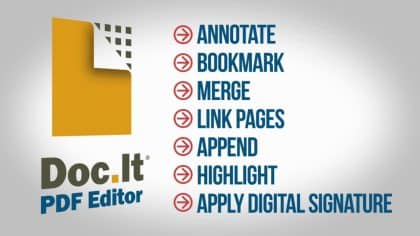
PDF Editor

Web Portal

Professional Services
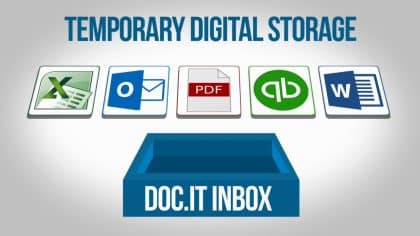
Inbox
Work Binders
Document Storage
Scan & Organize
Follow the lead of the top accounting and tax firms using Doc.It to drive more efficiency






Get In Touch
Your time matters. Learn how to do more with Doc.It by IRIS document management software by contacting our specialists today. We’ll help you find a solution that will best help to streamline your firm’s workflow.

Blog
Do more every day
See how you can achieve more daily by utilizing a document management software solution like Doc.It by IRIS.


Customer success stories
-
Donald M. Grefe, CPA
“DOC.IT SUITE WORKS! IT WILL DO SO MUCH FOR YOUR FIRM AND HANDLE WORKFLOW AS WELL.” – Don Grefe, CPA, Owner OUR IT SOLUTION We manage IT in-house…
-
EPR Gordon C Ferguson & Co. PC
YOUR PROCESSES CAN ABSOLUTELY BE IMPROVED. DOC.IT HELPED US TO SEE WHERE WE WERE AND WERE NOT EFFICIENT. WHAT DROVE YOU TO INVESTIGATE DOC.IT? One of our partners…
-
Grooms & Harkins
DOC.IT HAS MADE FOR A MUCH EASIER CLOSE TO THE TAX SEASON PRODUCTIVITY With Doc.It, our workflow has changed and sped processes up so that more of the…
